The roster knows who can actually do the shift.
RadCalendar understands modalities, sub-capabilities, training levels and fatigue rules — so an MRI 3.0T slot only ever offers you someone who can run it. Paint the week by hand, or let auto-fill propose the whole thing and approve it in one pass.
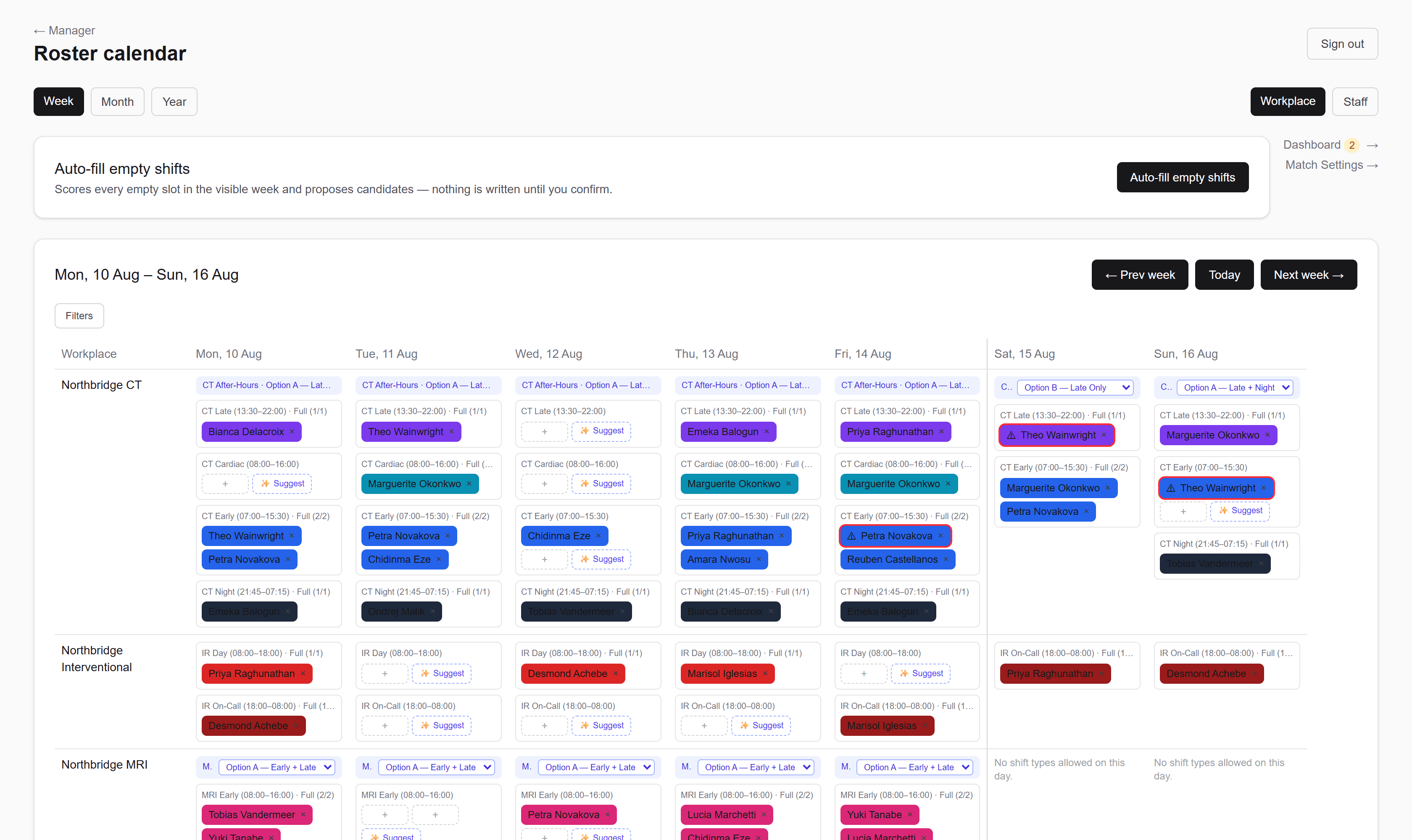
Everything a real imaging roster has to account for
- Capabilities & sub-capabilities
- Coverage-group alternatives
- Agency & bank cover
- Training shifts & staff levels
- Leave, blackouts & conflicts
- FTE and hours targets
Two views, one week
Flip between the ward and the person.
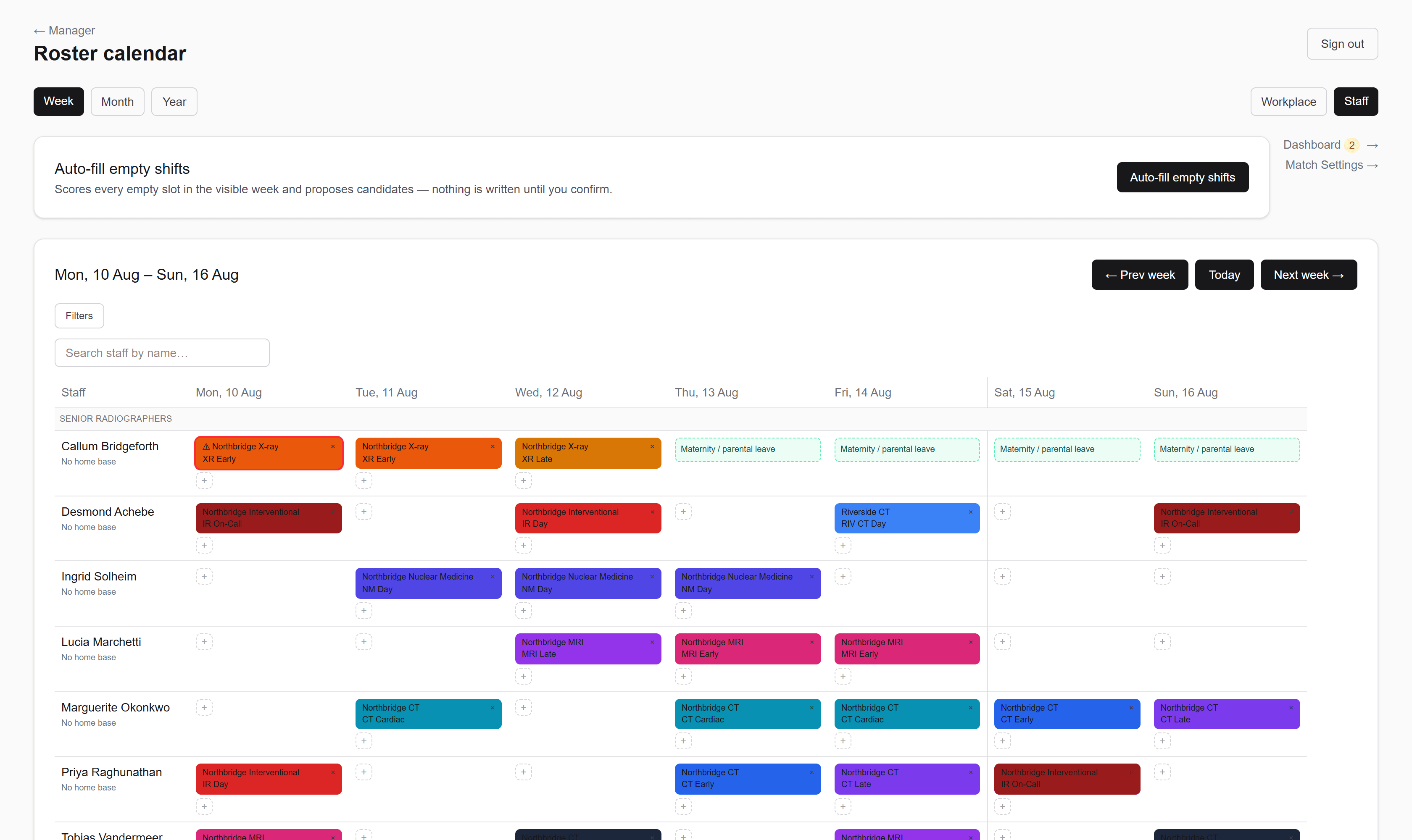
Workplace view answers “is CT covered on Thursday?”. Staff view answers “what is Marguerite actually working this week?” — same data, same filters, one toggle. Drag a shift onto a different person and it reassigns.
Matching engine
Auto-fill proposes. You stay in charge.
The scoring engine weighs capability, recent load, fatigue rules, minimum shifts and FTE targets — then hands you a reviewable list rather than a fait accompli.
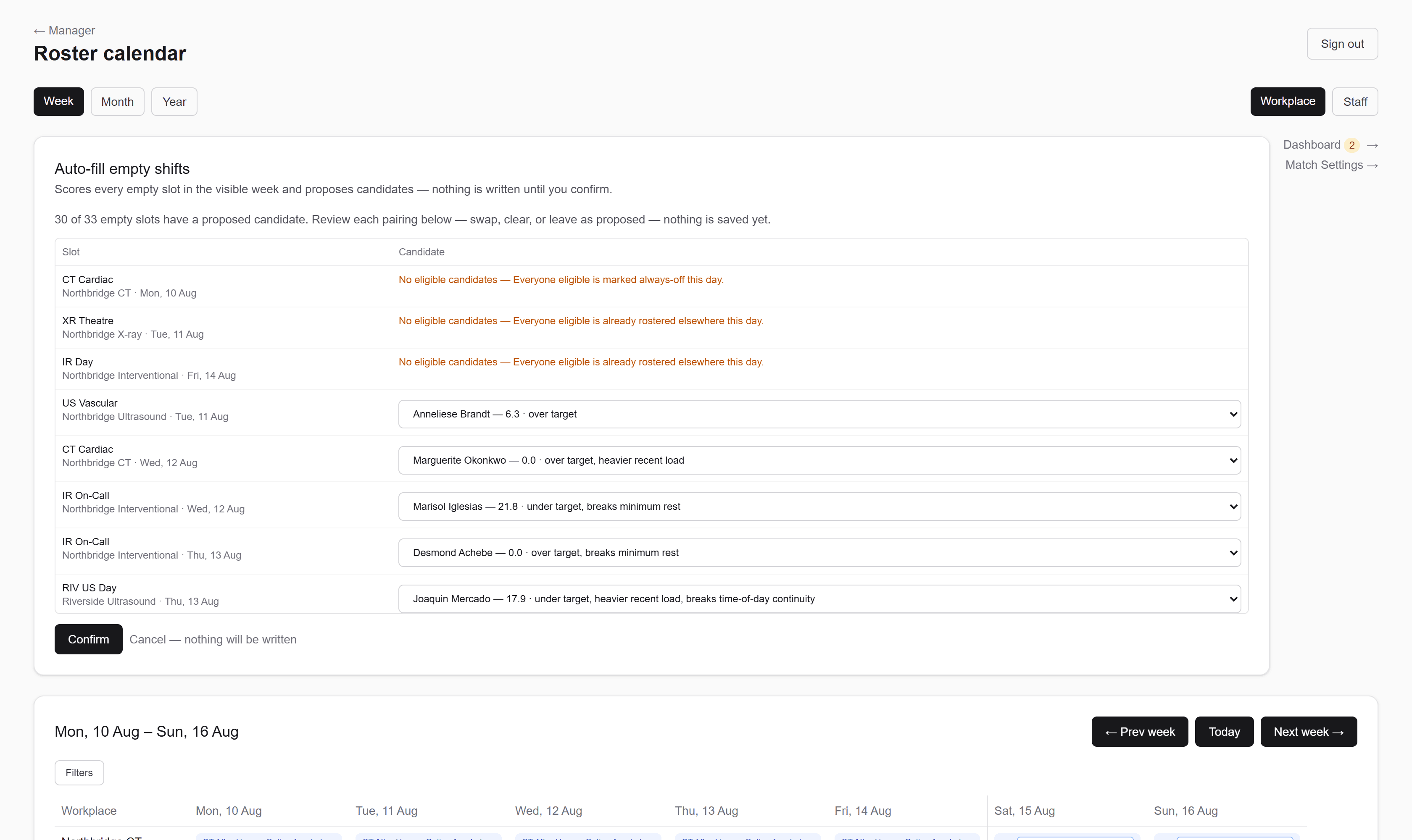
- It only ever offers eligible people
- Capability and sub-capability requirements are enforced at write time — not a warning you can click past.
- It explains every pairing
- Each proposal comes with the reasoning: under target, heavier recent load, last-resort agency cover.
- Nothing is saved until you say so
- Auto-fill scores every empty slot in the visible week and proposes candidates. You swap, clear, or confirm the lot.
FTE oversight
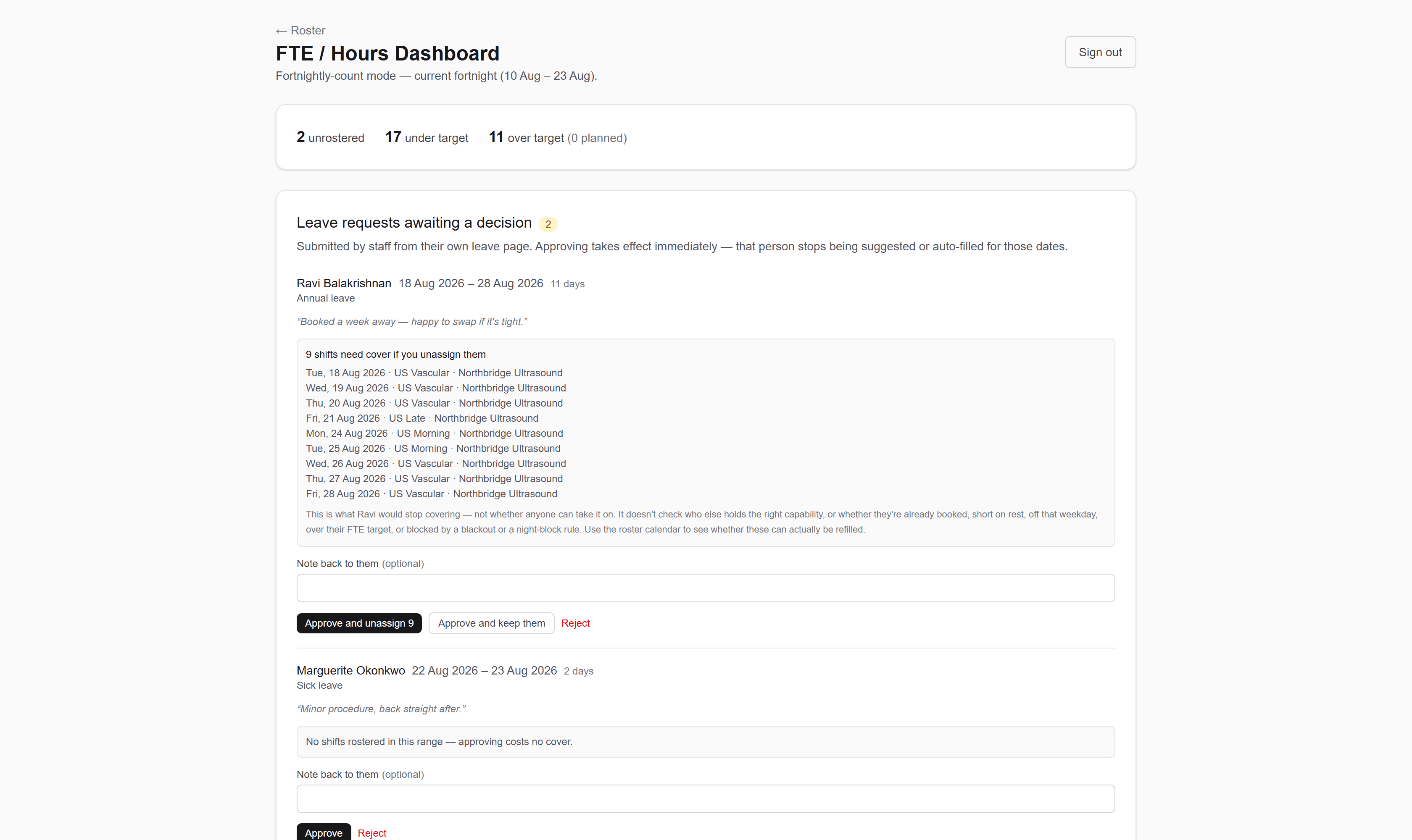
Catch the under- and over-worked before the fortnight starts.
Every staff member’s hours and shifts are tracked against their own target and cycle. Deliberate overtime gets marked as planned, so it reads as intended rather than as a problem.
Setup
Model your department the way it actually runs.
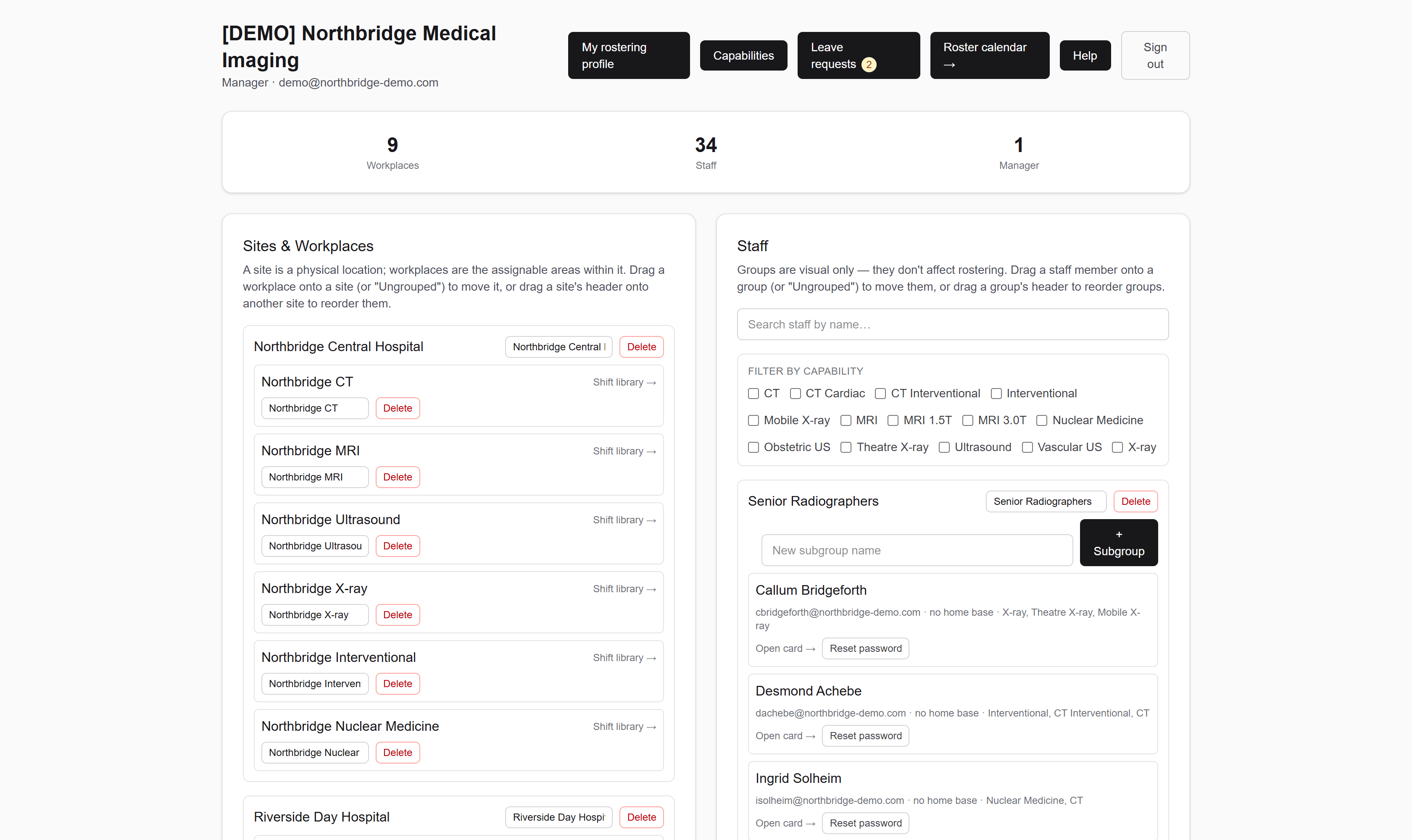
Sites hold workplaces; workplaces hold their own shift library. Staff carry capabilities, levels and employment type. Drag to reorganise — groups are visual, so rearranging the org chart never touches the roster.
Features
The details that make a roster survivable.
Sub-capabilities
MRI 3.0T is not MRI 1.5T. Nest capabilities as deeply as your equipment demands.
Coverage-group alternatives
Two 8-hour shifts or one long day — define both as options and pick per day.
Conflict checking
Double-bookings, blackout dates and capability mismatches are refused, not merely flagged.
Agency & bank
Date-based availability and last-resort ranking, so casual cover fills gaps rather than the roster.
Training shifts
Tag a shift as training and gate it by staff level so trainees land where they should.
Seven-dimension filters
Slice the week by site, capability, shift period, conflicts, blackouts, training or workplace.
Week, month, year
Zoom out to check coverage across the quarter without losing your filters.
Staff self-service
Staff sign in to their own view of the roster — no spreadsheet forwarding.
Every one of these is documented in full, with screenshots. Read the full guide →
Stop rebuilding the roster from scratch every fortnight.
Sign in to your department’s RadCalendar, or talk to your manager about getting an account.